
Knoxville News
USA TODAY Co.News & Magazines
3.1200.00 Reviews
- Version
- 8.10.3
- Installs
- 50.00K
- Age Rating
- Everyone 10+
Screenshots
Our Review of Knoxville News
 Analysis by Appyee
When I want a quick sense of what is happening around Knoxville without opening a full newspaper site, Knoxville News gives me a focused starting point. It is a free news and magazines app from USA TODAY Co., aimed at combining local reporting with broader coverage, photography, and video in a format that feels easier to check during an ordinary day. My overall impression is that its strongest idea is not simply “more news,” but putting local context close to the top of my reading routine.
That focus matters because national news apps can make local stories feel buried, while a browser homepage often gives me too many distractions. This app is more useful when I want to see what is relevant to Knoxville first and then decide whether I have time for wider headlines. It is listed for Everyone 10+, runs on Android versions from 8.0 onward, and remains free to install, although some content or functions may involve in-app purchases ranging from about twenty dollars to nearly seventy dollars per item.
Why the local-news focus changes the reading experience
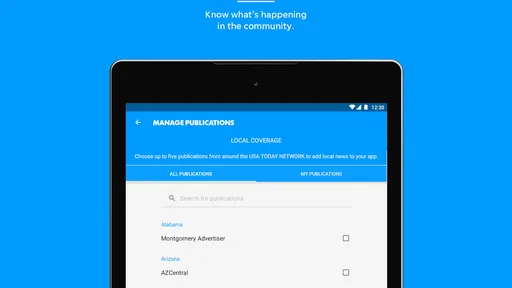
The central capability I noticed is the app’s local-and-national mix. The local side gives the experience a clear identity, while the national side prevents it from feeling too narrow. I can begin with stories connected to the Knoxville area and then move outward to larger events, rather than switching between a local publication and a separate national news app every time I want broader context.
That sounds simple, but it changes how I use the app. A local headline can be useful on its own, yet it becomes more valuable when I can immediately compare it with the wider story surrounding it. For example, a regional development, public issue, or weather event may have a direct effect on daily routines in Knoxville while also connecting to a national trend. Having both levels in one reading environment reduces the friction of piecing that context together elsewhere.
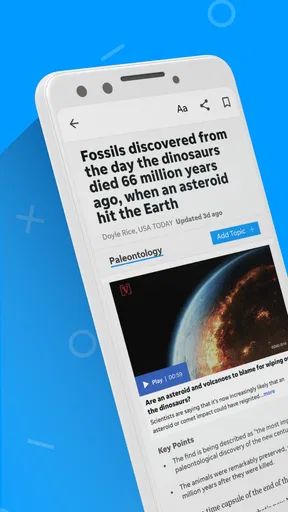
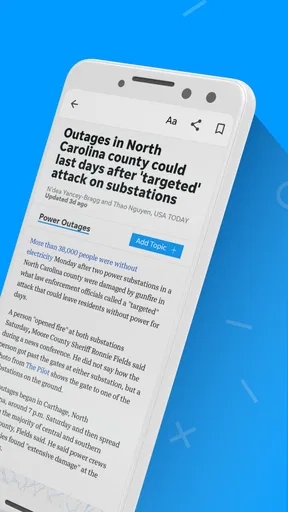
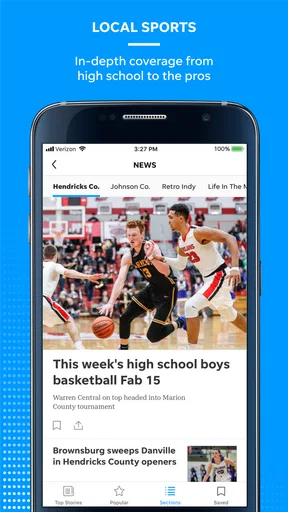
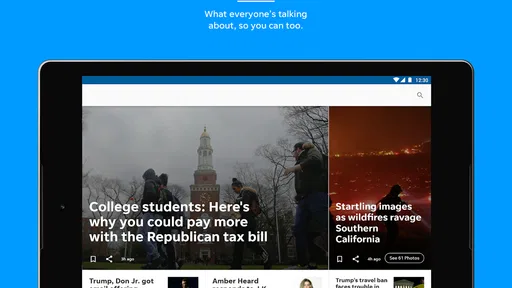
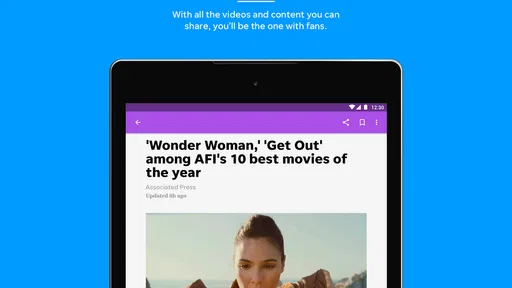
The visual side also plays an important role. Knoxville News is not built around text alone; its presentation includes photography and video, which makes the app better suited to stories where images explain the situation faster than several paragraphs can. I found that especially helpful when I was scanning rather than settling in for a long read. A strong image can tell me immediately whether a story deserves my attention, while video can provide a more direct sense of an event.
Still, I would not treat the visual material as a substitute for reading. Photos and video can draw me in, but the written report is where I look for the details needed to understand what actually happened. The app works best when I use the media as an entry point and the article as the source of context. That is a more sensible workflow than judging a story by its thumbnail or opening clip.
Local relevance without losing the wider picture
The local emphasis is most valuable for people who live in Knoxville, work there, commute through the area, or have family and responsibilities connected to it. Someone who has moved away but still wants a practical connection to the city may also find the format useful. I can imagine checking it in the morning for immediate local awareness, then returning later when a national story needs more attention.
For readers who mainly want national politics, international reporting, or specialized coverage, the local angle may feel limiting. The app is not the best replacement for a dedicated national publication, a financial news service, or a specialist source. Its advantage is the balance between local awareness and general news, not deep expertise in every subject.
How I use Knoxville News during a normal day
My most useful routine starts with a short scan rather than an attempt to read everything. I look through the local headlines first, pause on the stories that could affect my plans, and then use the broader coverage to fill in the surrounding context. This keeps the app from becoming another endless feed. I am making a decision about what matters today instead of treating every headline as equally urgent.
A realistic example would be a weekday morning when I am preparing to travel across Knoxville. I can check for local developments before leaving, glance at the main national stories, and save deeper reading for a quieter moment. If a photo or video suggests that a local event is developing, I can open the related report rather than relying on a short headline. The value here is not that the app eliminates the need for judgment; it helps me make that judgment faster.
One practical tip is to separate scanning from reading. On a busy morning, I use the visual presentation to identify the few stories worth opening. Later, I return to those stories when I can pay attention. This prevents video-heavy or image-rich coverage from taking over the entire session and gives the written reporting a fair chance.
Another useful habit is to compare local and national coverage deliberately. If a story appears in both areas, I first read the local version for direct relevance and then the broader report for context. That two-step approach is more informative than repeatedly refreshing one general feed. It also helps me notice when a national headline has a very different meaning for people in Knoxville.
Because the app is free to install, it is easy to test without committing to a subscription at the start. However, I would pay attention to any purchase prompt before assuming every part of the experience is included. The listed in-app purchase range is wide enough that a reader should understand what is being offered and whether it fits their habits before spending money.
Photography and video are useful, but they need discipline
The photography gives local stories a stronger sense of place. That is a real advantage over a plain text feed, particularly when the subject involves a visible change in the community or an event that is difficult to understand from a headline alone. Video can add immediacy, but I found it better for confirming the atmosphere or basic situation than for replacing a complete report.
My advice is to avoid autoplay-style browsing behavior, even if the app makes visual stories tempting. Open the media when it answers a question you already have: What does the location look like? What happened at the scene? Why is this event receiving attention? That approach makes the visual content informative instead of merely entertaining.
There is also a small trade-off in this design. Rich media can make the app feel more engaging, but it can also make a quick news check less predictable. A short session may become longer if every story leads to another clip or gallery. Readers who prefer a quiet, text-first experience may find a simpler news reader more efficient.
Where the app fits beside usual news alternatives
Compared with visiting a local news website in a mobile browser, Knoxville News feels more purposeful. A browser gives me flexibility and lets me move among many sources, but it also brings tabs, advertisements, unrelated recommendations, and the temptation to drift away from the original story. The dedicated app is better when I want a defined Knoxville-centered reading session.
Compared with a large national news app, its local focus is the main distinction. National apps usually offer greater breadth and may be stronger for international or specialized reporting, but local stories can be harder to find among the volume. Knoxville News makes the local angle the reason to open it, then adds enough national coverage to keep the session from feeling disconnected.
Compared with social media, I find the app more suitable for intentional reading. Social feeds can surface breaking information quickly, but they also mix reporting with commentary, repetition, and unrelated posts. Here, I am more likely to begin with a news item rather than a reaction to one. That does not mean I would abandon social platforms entirely; they can reveal what people are discussing. I simply would not use them as my only way to understand a local event.
Compared with a print newspaper, the app has the obvious advantage of combining written reports with photography and video in one portable place. The compromise is that the digital experience can feel less calm and less structured than sitting down with a physical edition. Readers who enjoy a fixed daily package may prefer print, while people who want updates throughout the day will probably appreciate the app’s flexibility.
The audience that benefits most
I think the best match is a Knoxville-area reader who wants local awareness but does not want to give up national headlines. It is also a reasonable choice for someone who checks news in short bursts: before work, during a break, or while deciding what deserves a longer read later. The visual reporting makes it approachable for readers who do not want every session to begin with dense blocks of text.
People who follow a city from a distance may also gain something from it. Former residents, relatives of people in the area, and travelers preparing for a visit can use a local-centered source to understand what is happening beyond tourist information. The value is strongest when the reader has a real reason to care about Knoxville rather than simply wanting another general news feed.
I would be more cautious recommending it to someone who wants a completely free, ad-free-feeling, text-only experience, or to a reader seeking highly specialized coverage. The presence of in-app purchases means I would review the purchase screen carefully, especially if several people share a device. Likewise, anyone using an older phone should check that it meets the Android requirement before expecting a smooth installation.
Things I would consider before making it my main news app
The average rating is 3.1 from over four hundred ratings, with around two hundred written reviews. I would not treat that figure as a final verdict, but it does tell me to approach the app with realistic expectations rather than assuming the experience will suit everyone. Ratings can reflect device compatibility, update changes, purchase expectations, or individual preferences, so I would test the current version personally before building my entire news routine around it.
The current version is 8.10.3, which signals that the app has developed over time rather than being a brand-new experiment. It was released on December 6, 2010, and has reached over fifty thousand installs. Those details make it easier to see the app as an established local-news product, but they do not guarantee that every reader will like its navigation or presentation.
One friction point is the difference between “free to install” and “free for every possible use.” I appreciate being able to try the app without paying at the download stage, yet the purchase range means I would not tap through a checkout screen casually. Before paying, I would identify exactly what the purchase unlocks, whether it is useful for my reading frequency, and whether I am comfortable with that cost compared with simply using a browser or another news source.
Another limitation is focus. The local-and-national combination is convenient, but it may not be deep enough for readers who already have a carefully built collection of specialist sources. If I need detailed business reporting, technical analysis, or extensive international coverage, I would use a dedicated publication alongside this app rather than expecting one local-news product to cover everything equally well.
Privacy and attention are also practical considerations for any news app, although I would judge Knoxville News mainly by how comfortably it fits my routine. If I only want two headlines in the morning, a widget or browser bookmark may be faster. If I want to understand what is happening around Knoxville and occasionally watch related media, the dedicated format earns its place more easily.
A more efficient way to test it
I would give the app several short sessions instead of judging it after one launch. First, I would check whether the local stories are relevant to my interests. Next, I would open a mix of text, photo, and video coverage to see whether the media adds useful context. Finally, I would inspect how the purchase options appear before deciding whether the free experience is enough.
I would also test it at two different times of day. A morning scan reveals whether the app works for quick planning, while an evening session shows whether it supports slower reading. This matters because an app can be good at headline discovery but less comfortable for longer articles. Knoxville News makes the strongest case when it succeeds at both levels: fast local awareness and a clear path into deeper coverage.
My final take on Knoxville News
After using it as a Knoxville-centered news companion, I see a clear purpose: it brings local reporting, broader headlines, photography, and video together so I can begin with what affects the area around me. The real strength is the local-first workflow, not the promise of replacing every other source. I can scan quickly, open visual material when it adds meaning, and move into national context without leaving the same app.
I would recommend it to Knoxville residents and anyone with an ongoing connection to the city who wants a convenient daily check-in. I would also suggest keeping expectations balanced. The purchase options deserve attention, the rating indicates that the experience may be uneven for some users, and readers with specialist interests will still need other sources.
For me, the app works best as part of a sensible news routine: use it for local awareness, verify important details through careful reading, and turn to more specialized publications when the subject demands depth. If that is what you want, Knoxville News is worth trying as a free download. If you only want national headlines or a distraction-free text reader, another option may fit your habits better.
Verdict
Strengths of Knoxville News
- Covers local Knoxville events, politics, weather, and community updates.
- Push notifications can deliver important breaking news quickly.
- Offers convenient access to regional stories while traveling.
- Local reporting provides context often missing from national news apps.
- Article sharing makes it easy to send stories to friends and family.
Limitations of Knoxville News
- Some content may require a subscription or registration to access fully.
- Notification frequency can feel excessive during busy news cycles.
- Coverage is mainly Knoxville-focused and less useful outside the region.
- Advertising may make browsing less comfortable on smaller screens.
- App performance and available features may vary after updates.
Other Releases by USA TODAY Co.
View All
IndyStar: Indianapolis Star
News & Magazines2.7

AZ Central: Arizona Republic
News & Magazines2.5

The Detroit News: Local News
News & Magazines3.1

Detroit Free Press: Freep
News & Magazines3.0
Similar Picks in This Category
View All
Google News - Daily Headlines
Google LLC4.0

X
X Corp.4.8

Flipboard:Your Social Magazine
Flipboard3.4

Opera News: breaking & local
Opera4.5

Hindi News by Dainik Bhaskar
Dainik Bhaskar Group4.0

Way2News Daily News App
Way2News ( Formerly Way2SMS )4.6
Frequently Asked Questions
What is Knoxville News, and what can I read in the app?
Knoxville News is a mobile news app focused on Knoxville and the surrounding East Tennessee area. After exploring it, I found that it is designed for quickly checking local headlines, breaking news, weather updates, community stories, sports coverage, entertainment, and other regional topics. The exact sections and available articles may vary depending on the publisher’s current coverage and updates.
Is the Knoxville News app free to download and use?
The app is generally available to download for free, allowing users to browse news and access the main reading experience without an initial purchase. However, some stories or features may be limited by subscription requirements, registration, advertising, or publisher-specific access rules. Before downloading, it is worth checking the current store listing and the app’s subscription information for the latest conditions.
Does Knoxville News provide breaking news notifications?
Yes, Knoxville News may support push notifications for important local developments, breaking stories, severe weather, traffic information, and other timely updates. Notifications can be useful if you want immediate information about Knoxville, but frequent alerts may become distracting. During setup, review the notification permissions carefully and adjust them in the app or your device settings so you only receive the categories that matter to you.
Can I use Knoxville News to follow weather, sports, and local events?
The app is intended to cover more than general headlines, making it useful for readers interested in local weather, regional sports, community events, public safety, and issues affecting Knoxville residents. Coverage can change from day to day, and some categories may receive more attention during major events. For the most complete experience, explore the available sections and personalize alerts where that option is provided.
Does Knoxville News require an account or subscription?
Basic browsing may be possible without creating an account, but certain functions can require registration or a paid subscription. An account may provide access to subscriber-only articles, saved content, newsletters, or personalized settings, depending on the version of the app. I recommend reviewing the sign-in screen, subscription terms, renewal details, and privacy policy before entering payment information or enabling any premium service.
